
Understanding Meta Learn settings
Learn where to find and change the platform settings.
Step 1
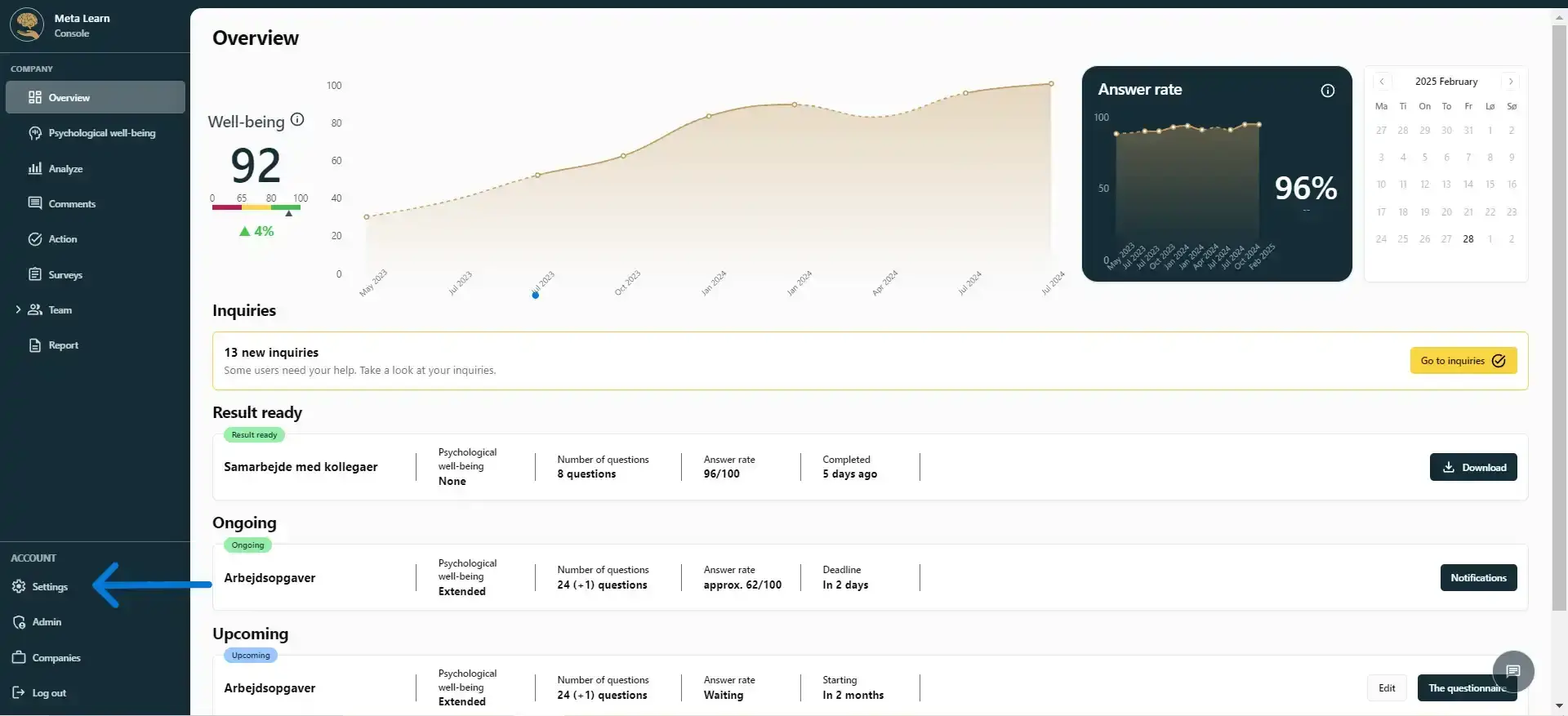
Start by clicking on “Settings.”
Step 2
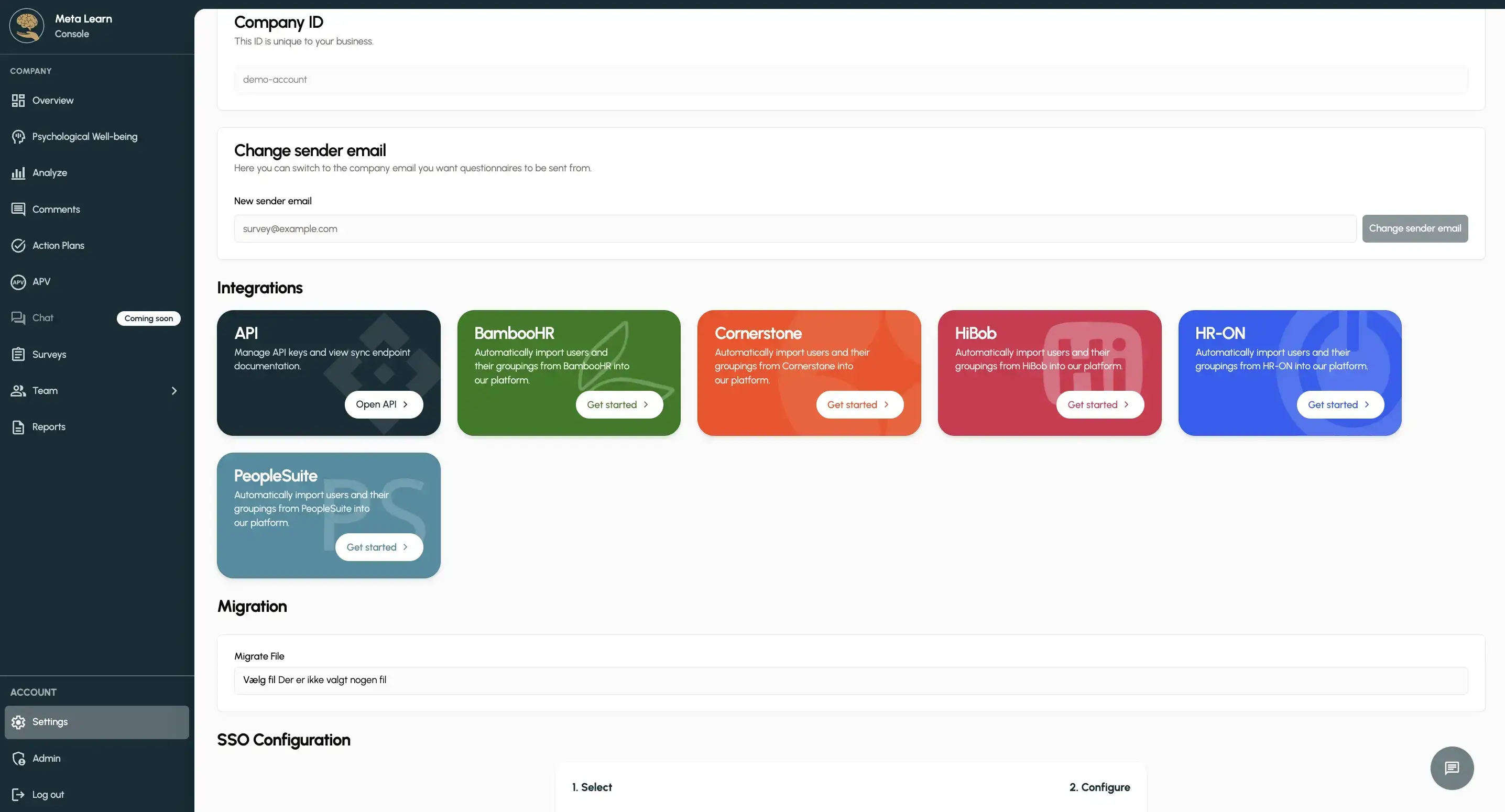
Here you can find all the platform settings: name, time zone, language, SSO login, options for custom questions and appearance, and integration with HR systems.
Step 3
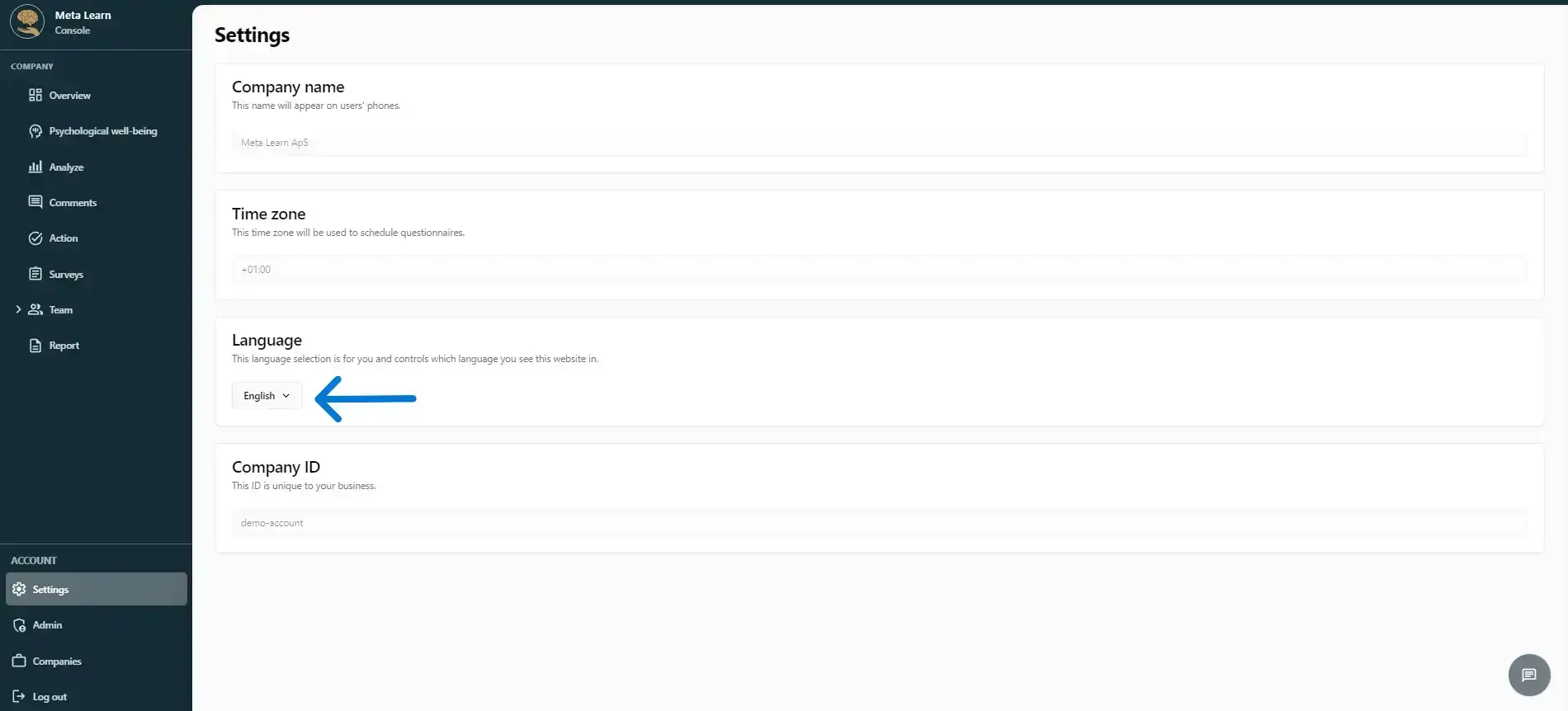
If you want to change the platform’s language, click “Language”. You can choose from 29 languages, including Danish, German and English.
Related guides
Manage access to Meta Learn
See who has Admin access and invite new admins.
View guideSwitch between companies
View and switch between the companies you have access to. For larger companies only.
View guideGet started with the AI assistant
A quick guide to what you can use Meta Learn’s AI assistant for and how it works in practice.
View guide