
Action plan
Have you completed a survey and want to make a difference before the next one? You can now create an action plan directly on the Meta Learn platform. You’ll get recommendations for actions, can assign the task to one of your employees, and the system will automatically send a notification about it.
Step 1
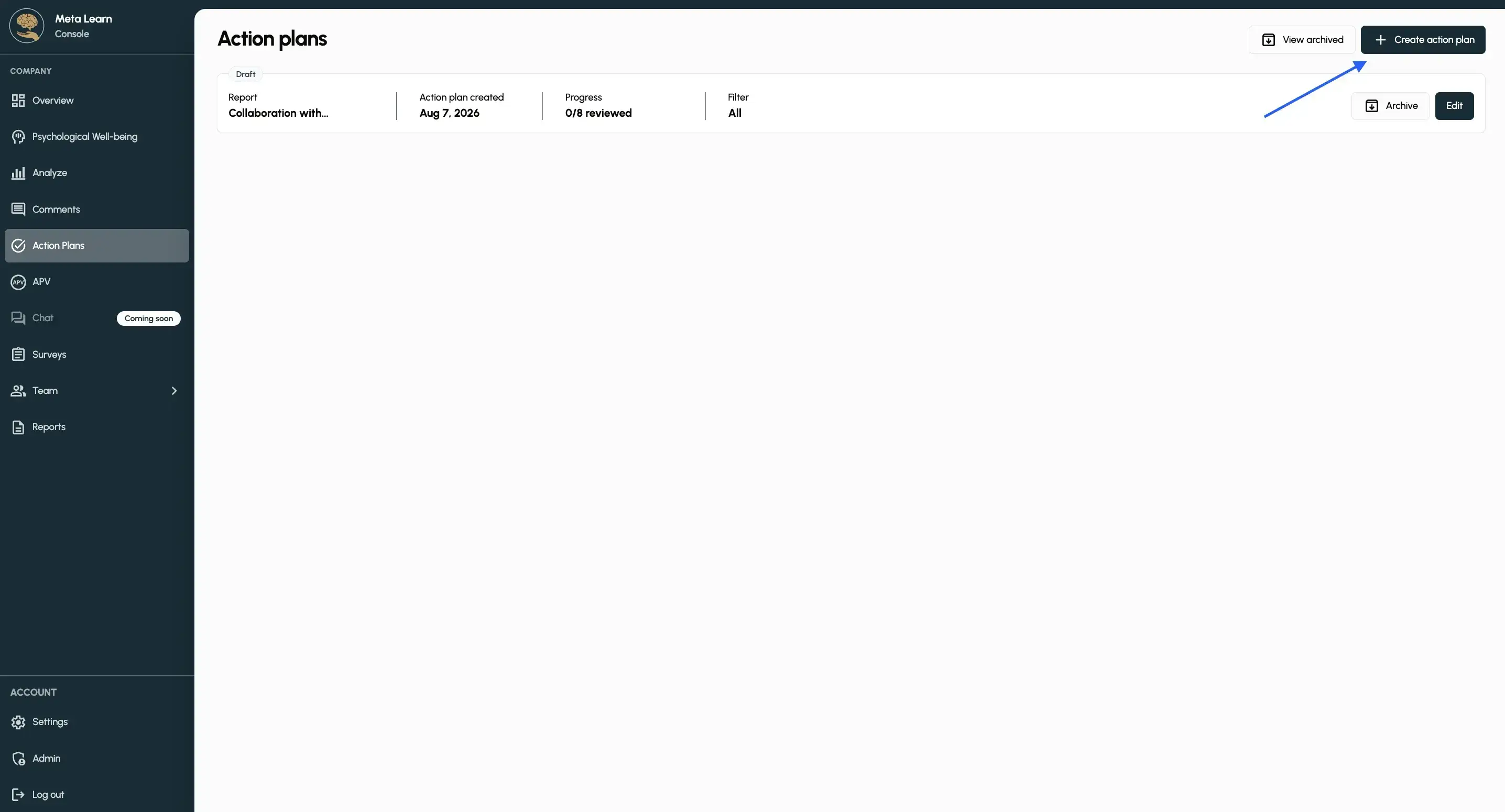
Tap „Action Plans“ in the left menu, then tap „Create action plan“.
Step 2
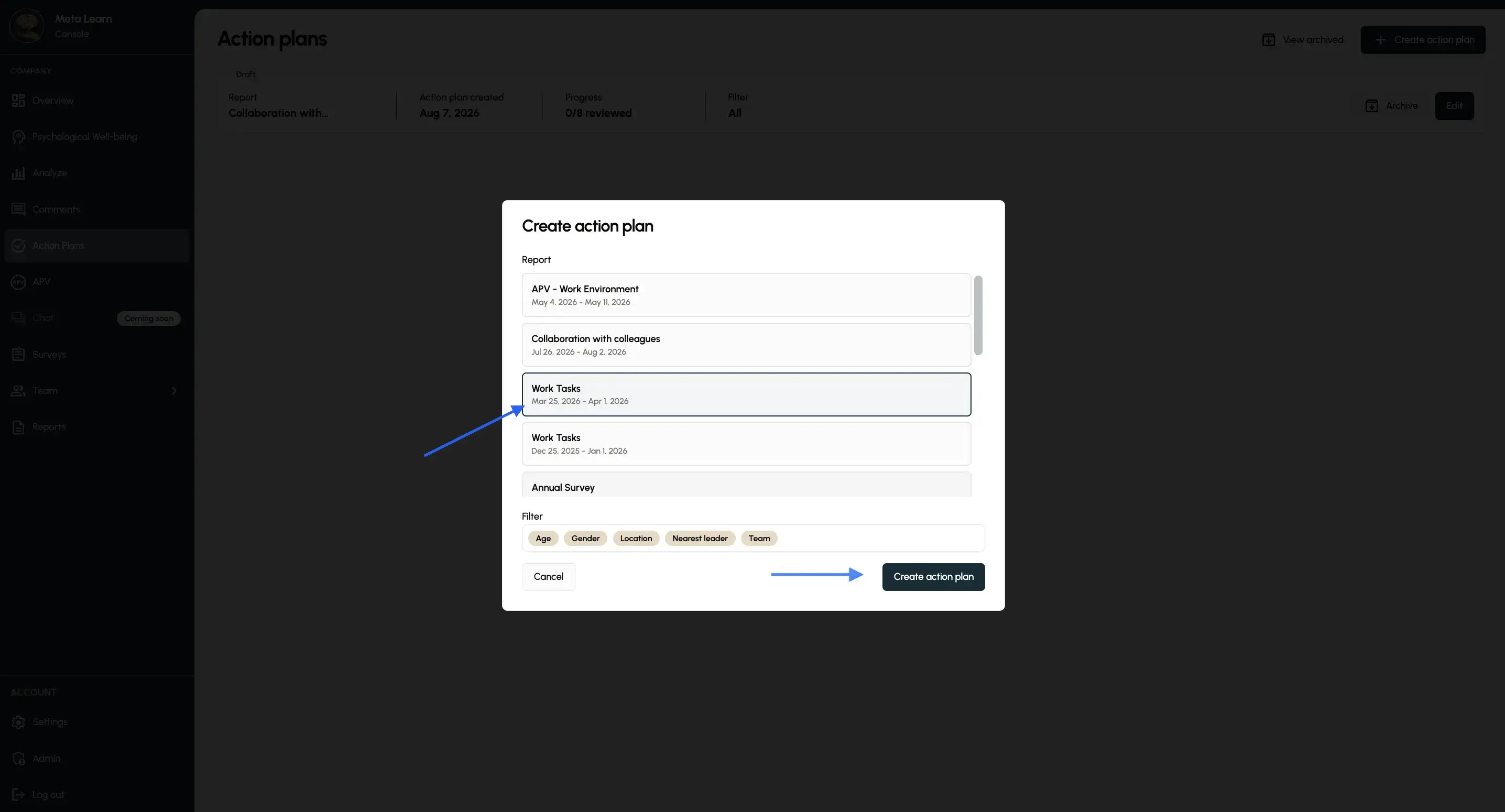
Select the survey you want to create action plans for, then click “Create action plan.” You can also filter out specific segments here if you’d like, making it possible to create multiple action plans.
Step 3
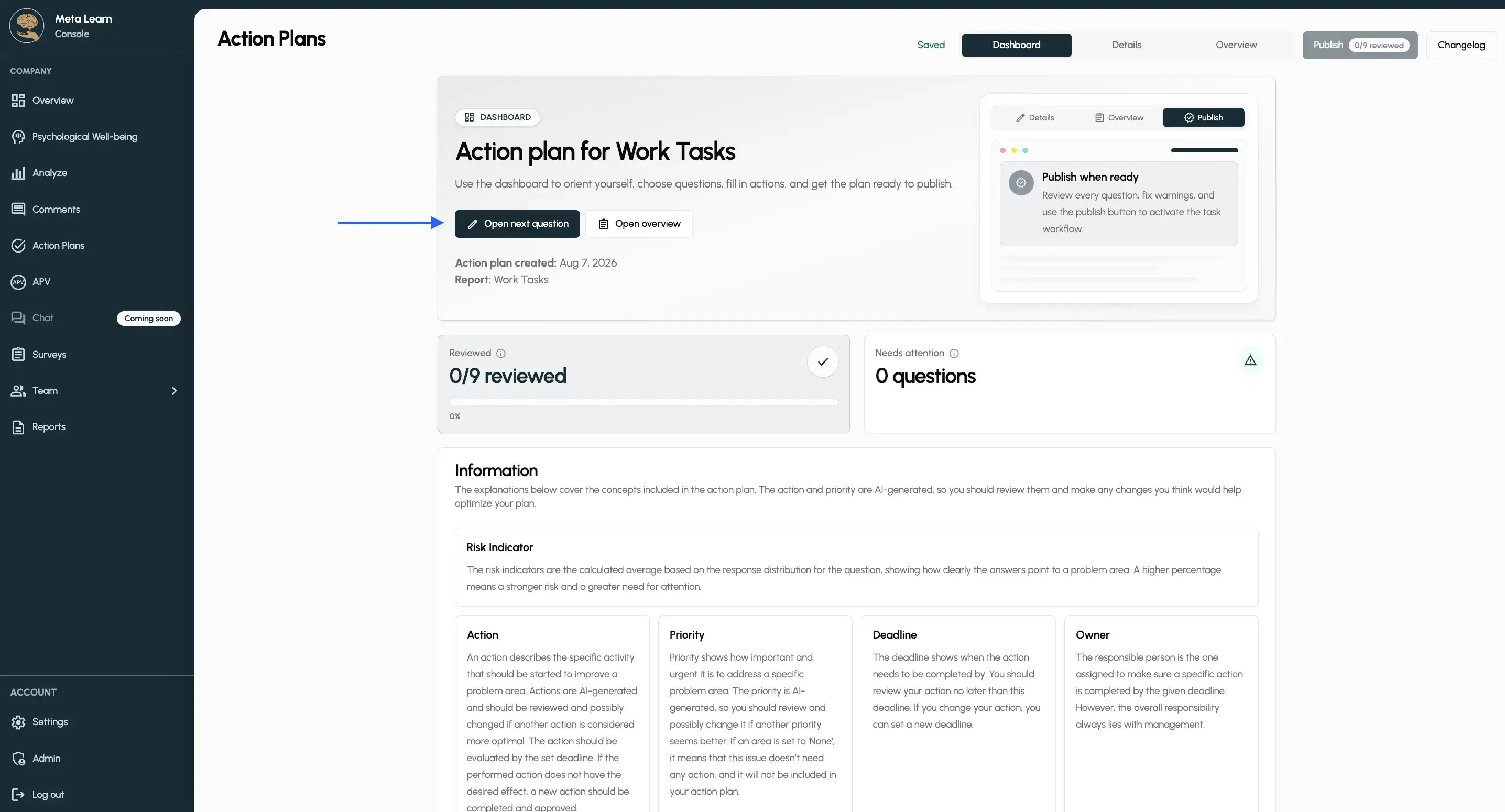
Tap “Open next question” to start working on your action plan.
Step 4
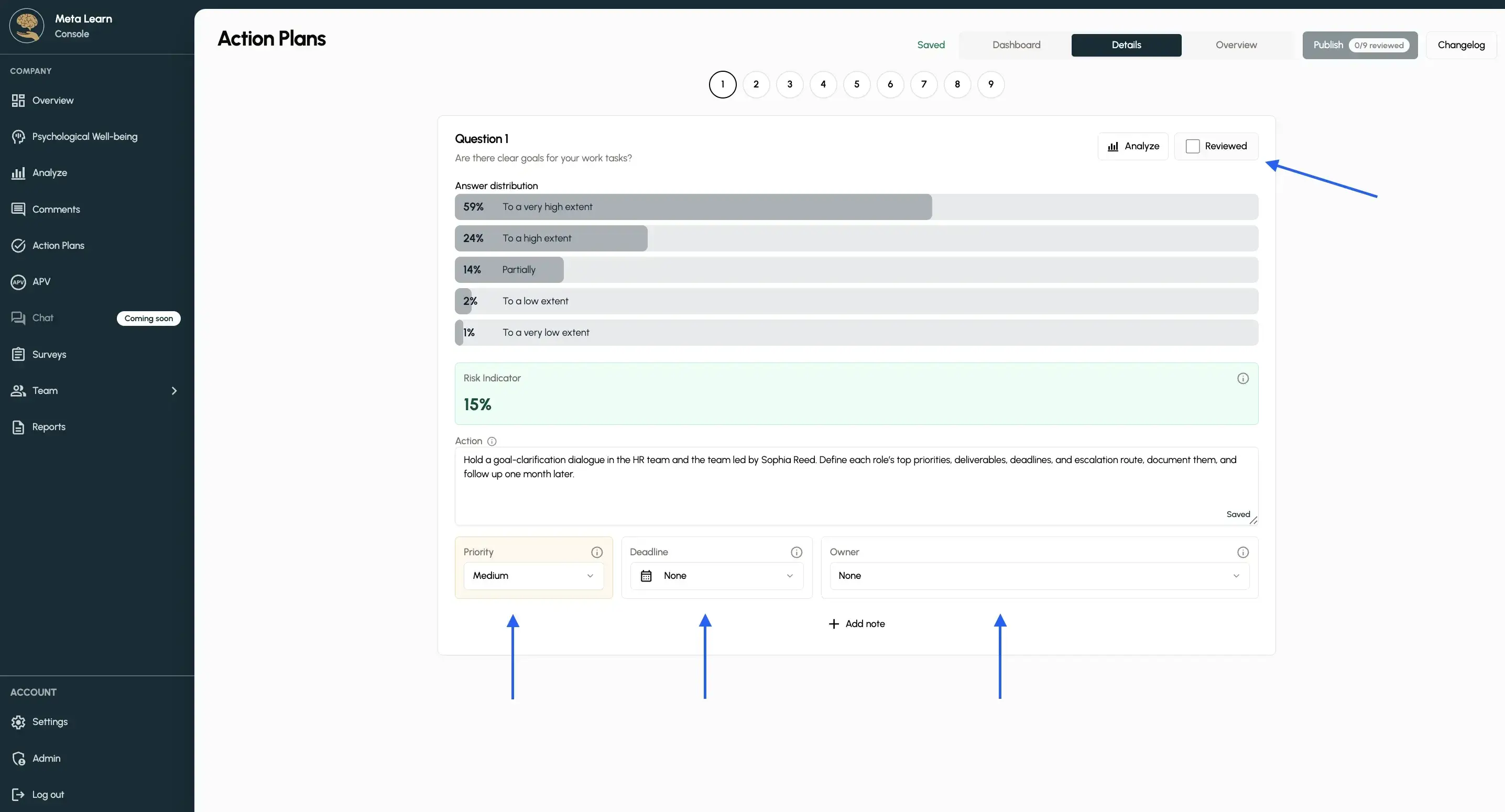
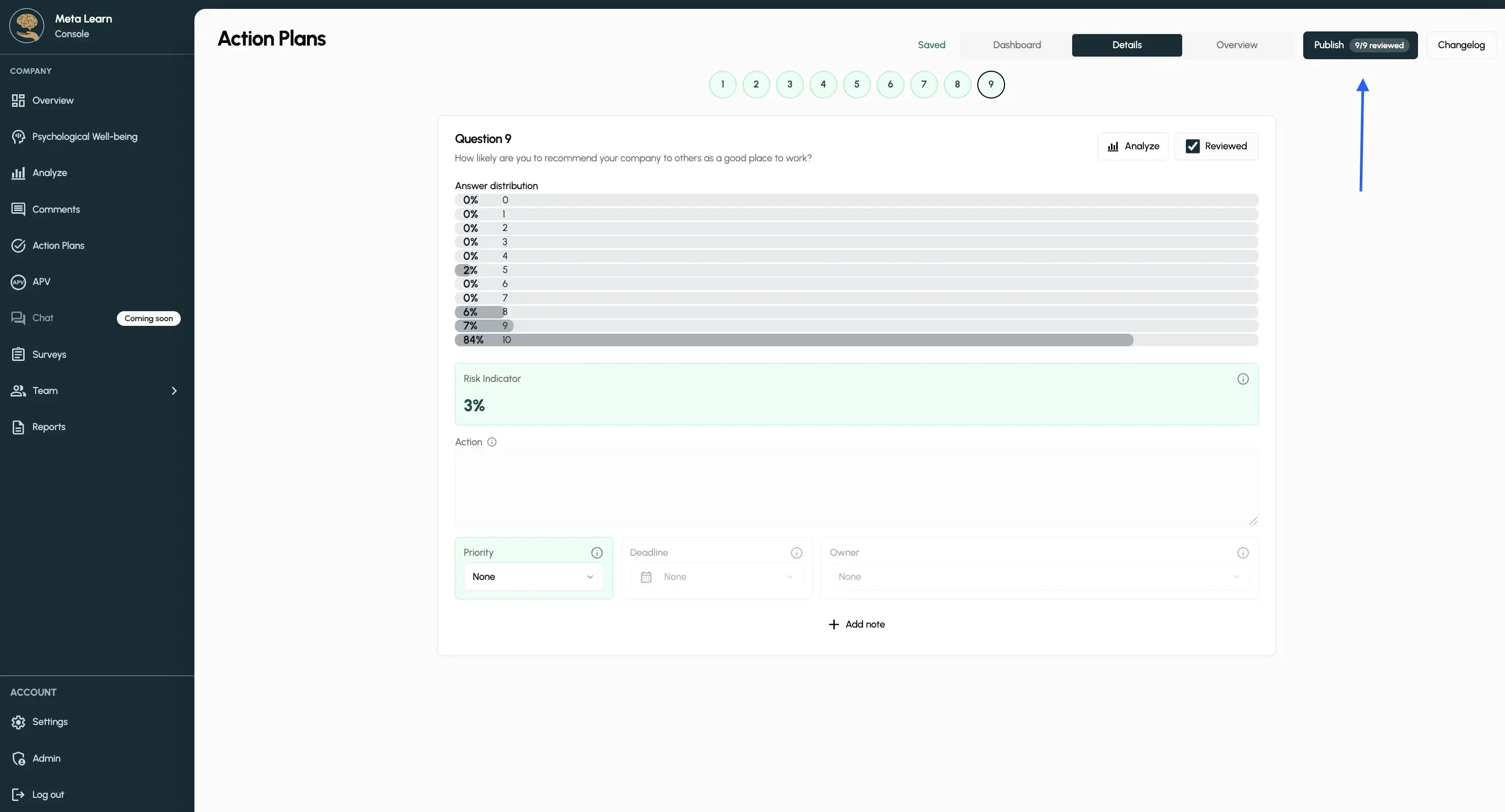
You can now see the first question from your survey along with its response. Check the Risk Indicator to assess the action plan and priority as effectively as possible. Assign someone responsible and choose a deadline so the action plan has clear ownership and can be followed through.
Step 5
Once you’ve gone through all the questions, tap “Publish” to create your complete action plan.
Step 6
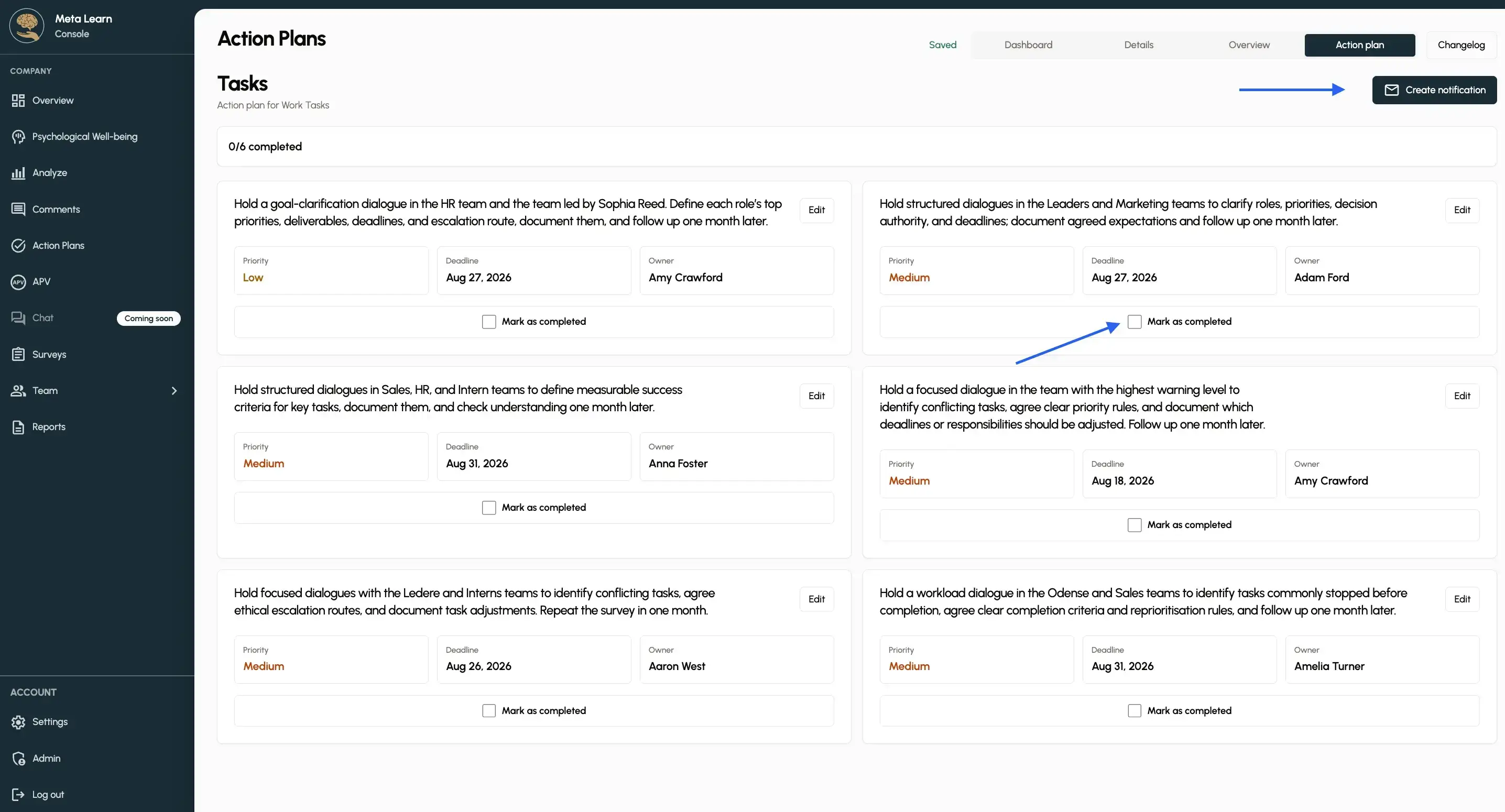
You can now create a notification, which means that the people responsible for the tasks will receive an email with their respective tasks. Once a task is completed, both you and the person responsible can mark it as done by tapping “Mark as done.”
Congratulations!
You’ve now created a new action plan based on your survey.