
How to divide
Learn how to easily and flexibly create divisions that you can later use to filter your data.
Step 1
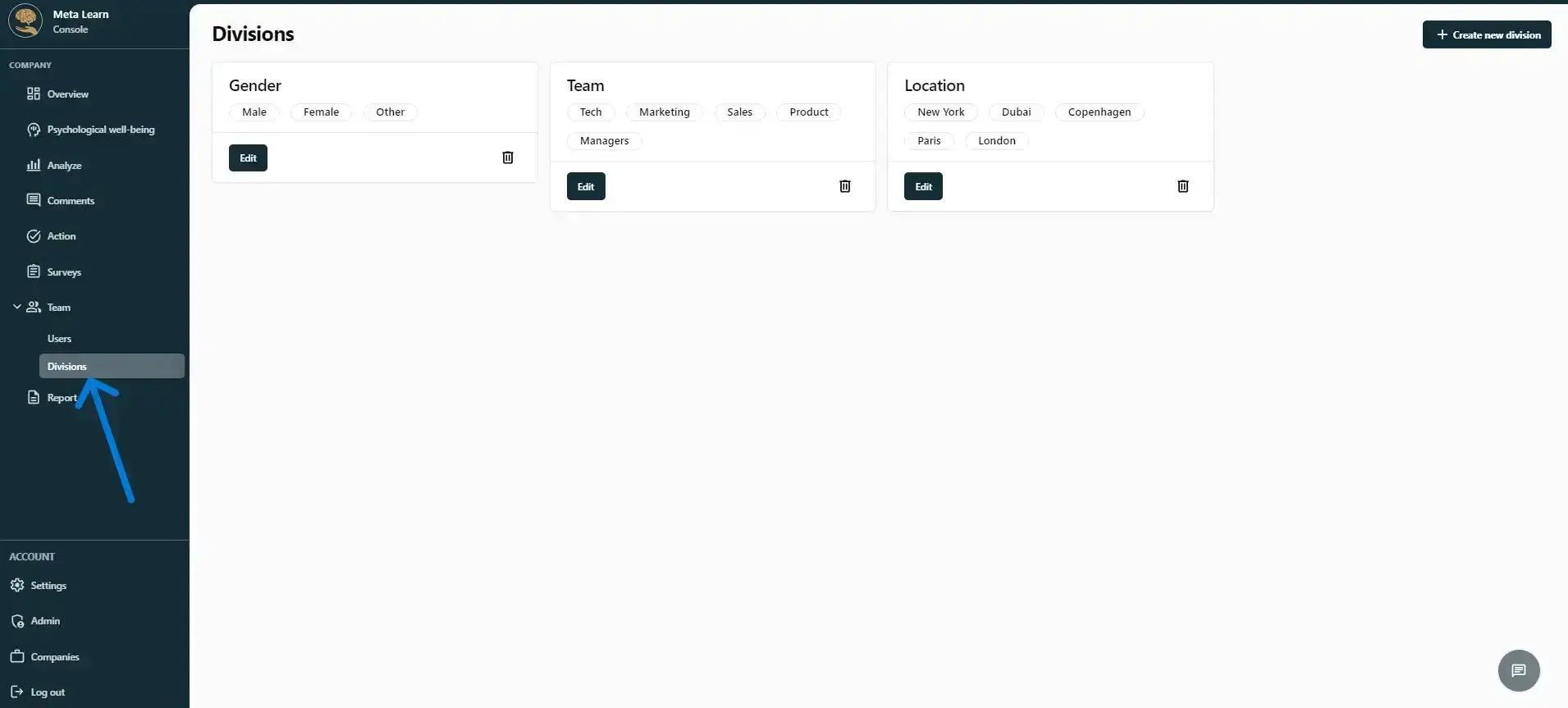
Click “Team” and then click “Divisions”.
Step 2
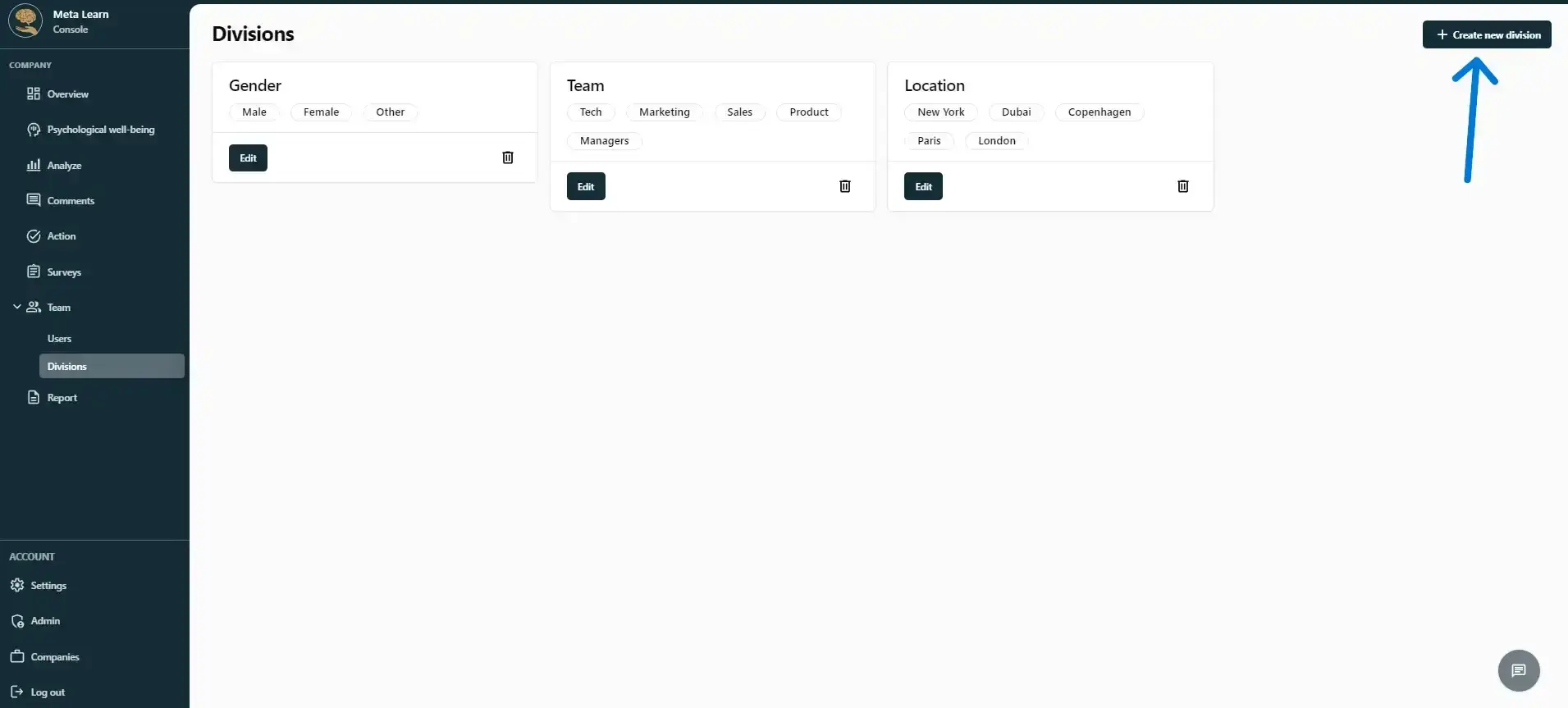
Here you can see the departments your company has created. If you think a department is missing, such as one for seniority, click “Create new department”.
Step 3
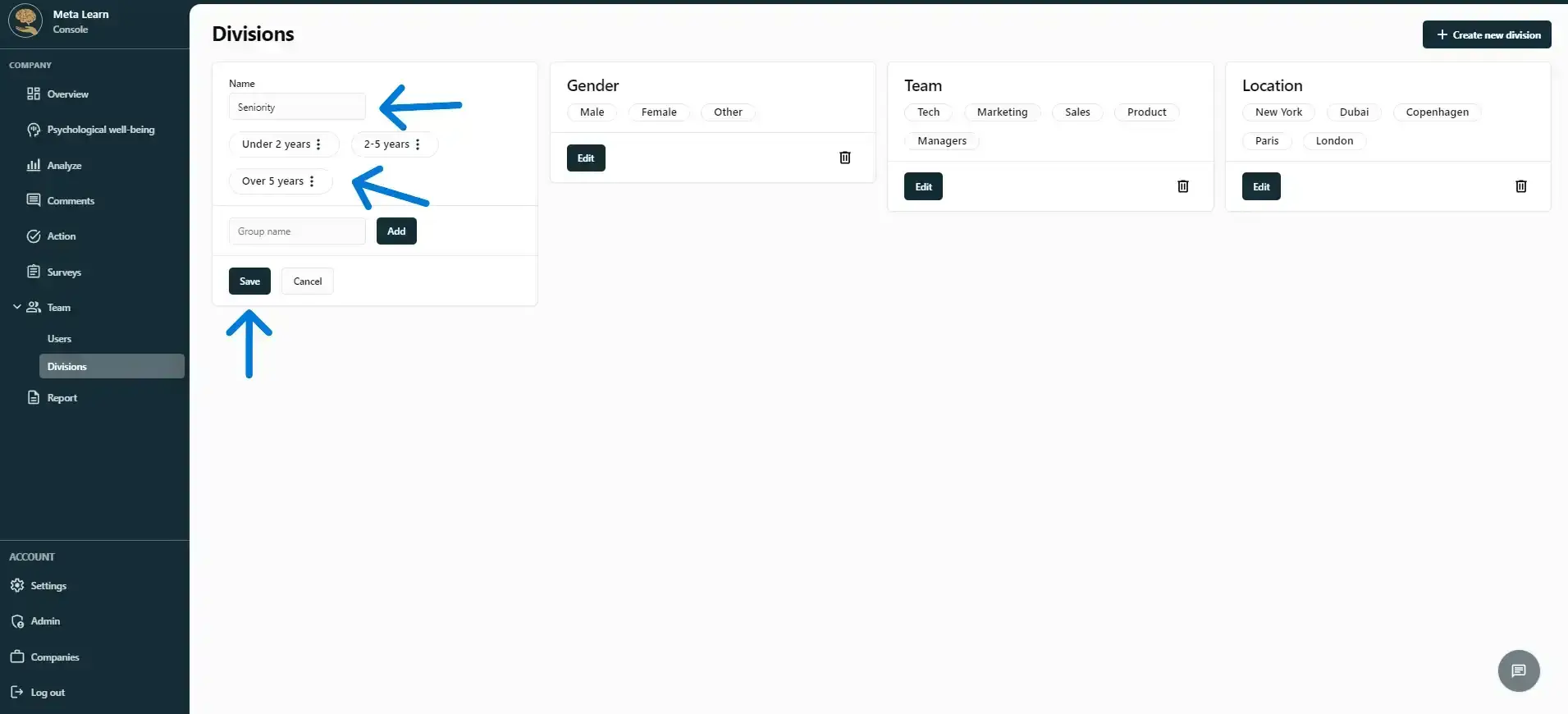
You can now add your division and create as many answer options as you like.
Step 4
Make sure you’ve added all the necessary divisions before your employees answer the first questionnaire, as this will improve your data analysis. You can always add new divisions later, but due to anonymity requirements, they won’t be applied retroactively to your historical data.
Congratulations! You’ve now created your divisions.
Related guides
Import employees in under 1 minute
Connect your employee list to Meta Learn via an integration or manual import, and get started right away.
View guideDo your own research
Use Meta Learn’s templates or create a custom survey that fits your business perfectly.
View guideUnderstand the settings in Meta Learn
A quick overview of the platform’s settings and features.
View guide