
How to easily import your employees
Connect your employees to Meta Learn in under 1 minute.
Step 1
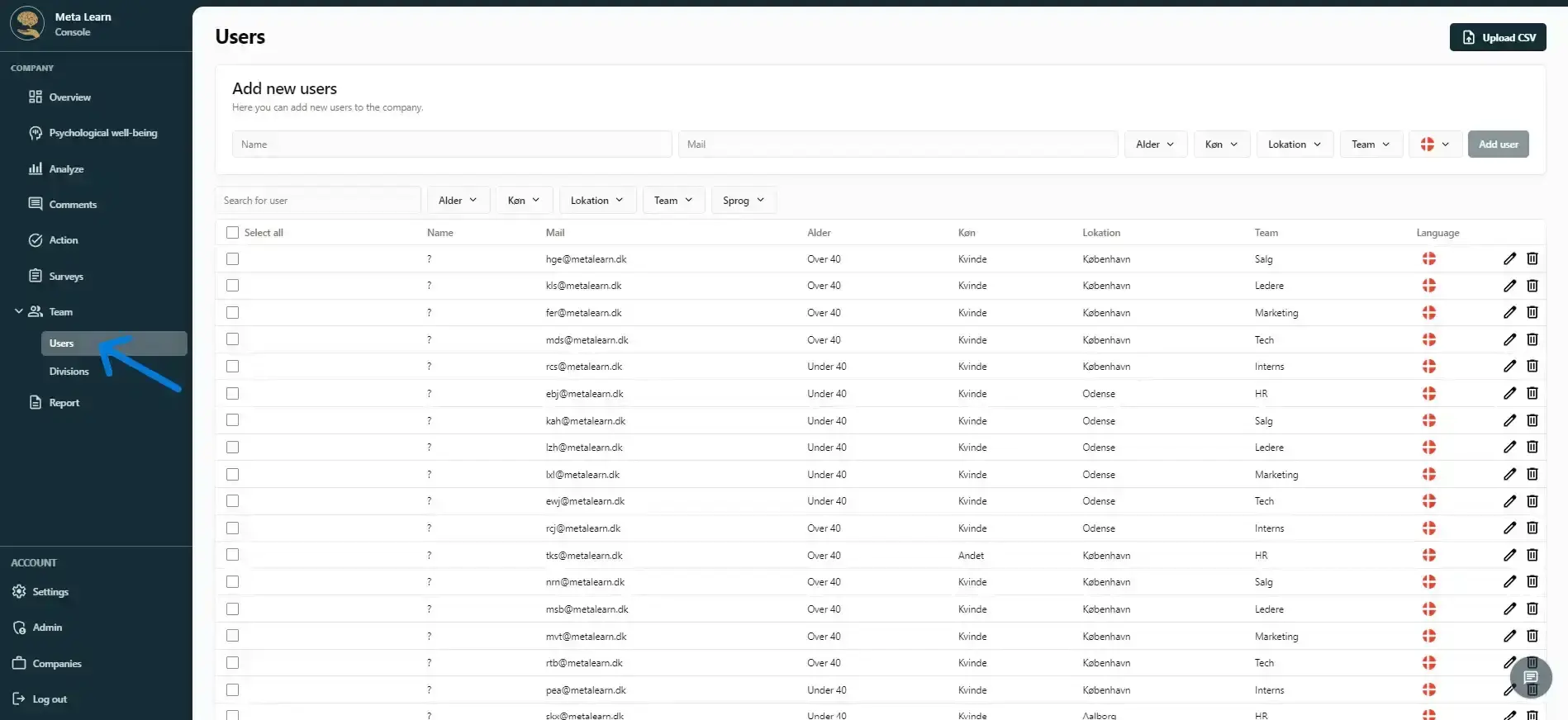
Click “Team” and then click “Users.”
Step 2
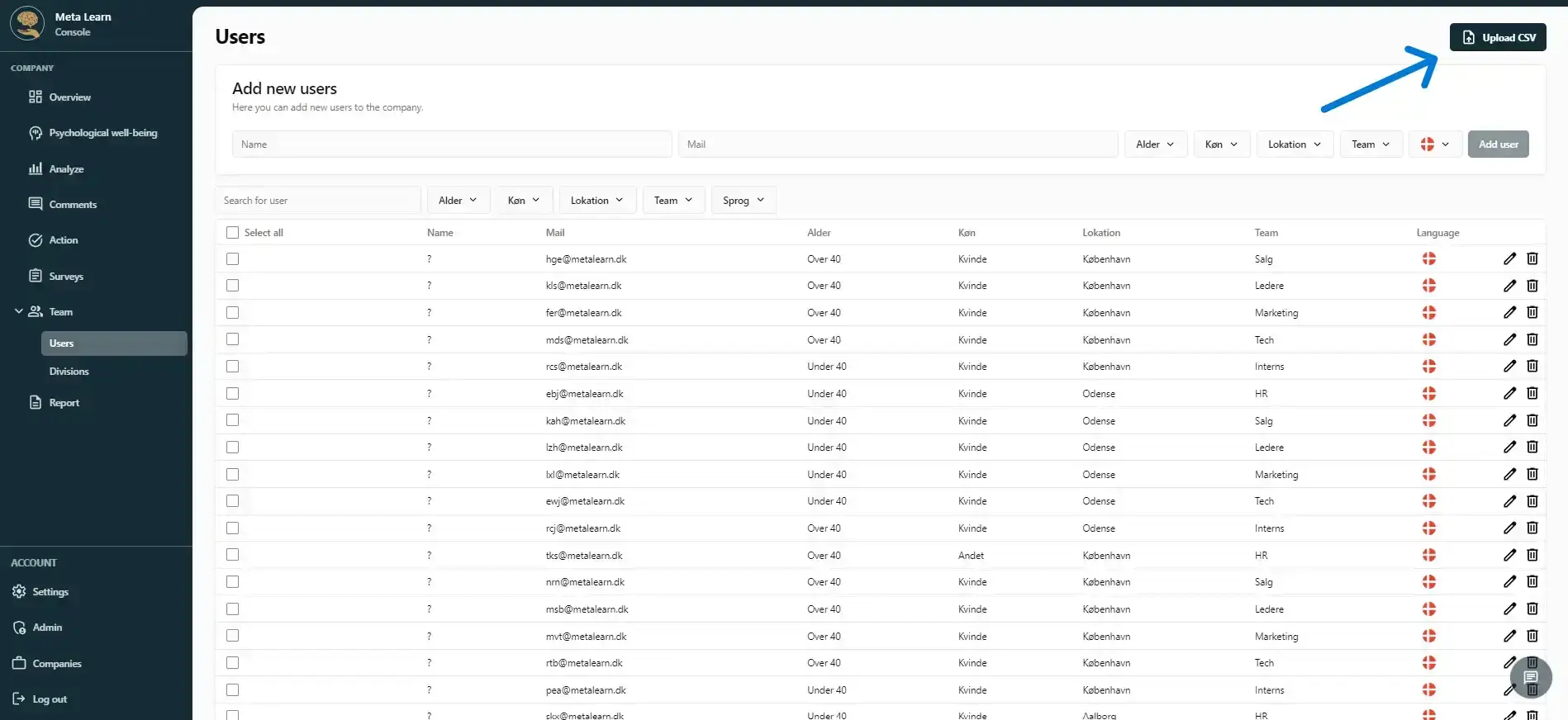
Here you can see the employees in your company. If you haven't imported them yet, simply click “Upload CSV” to add them to the program.
Step 3
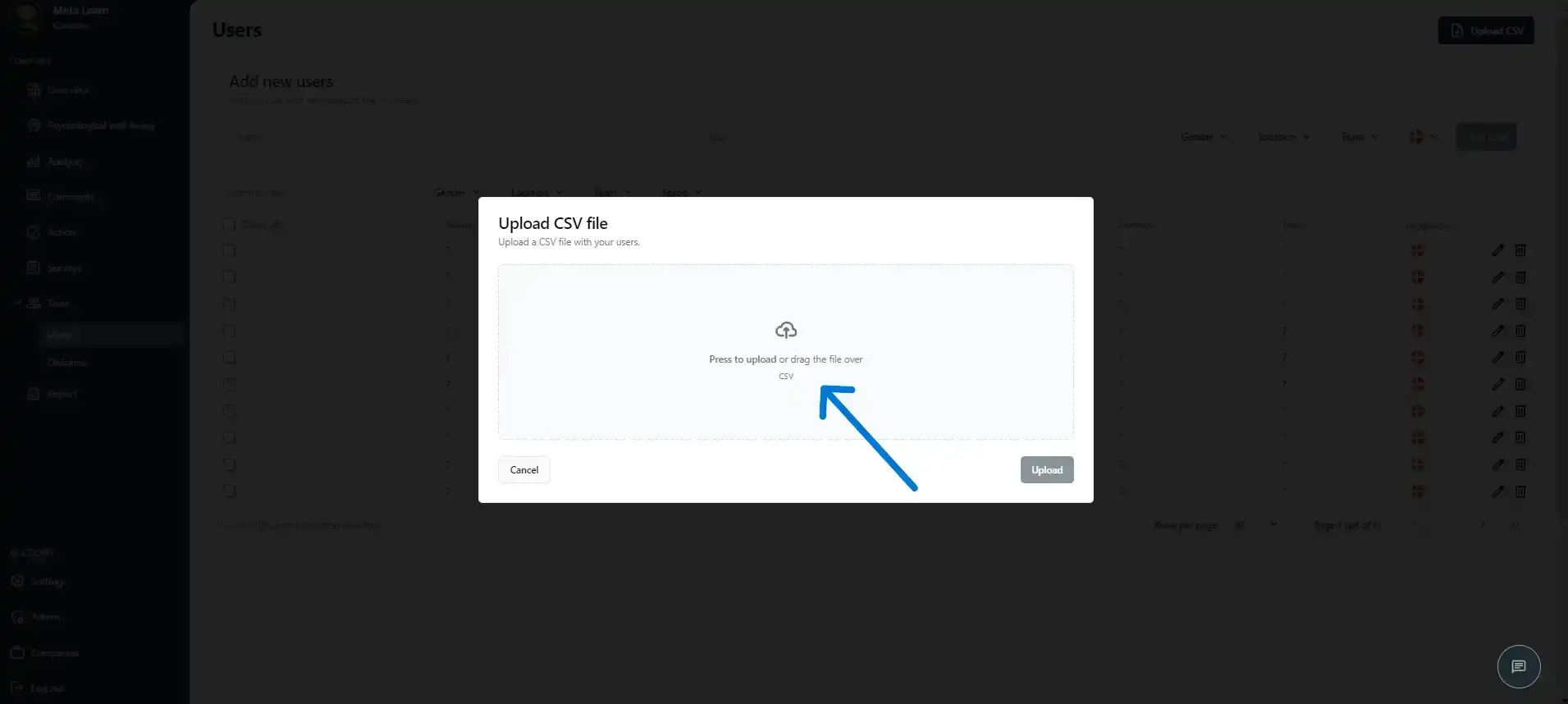
Add your employees’ email addresses using a CSV file by uploading it or dragging the document into the box.
Step 4
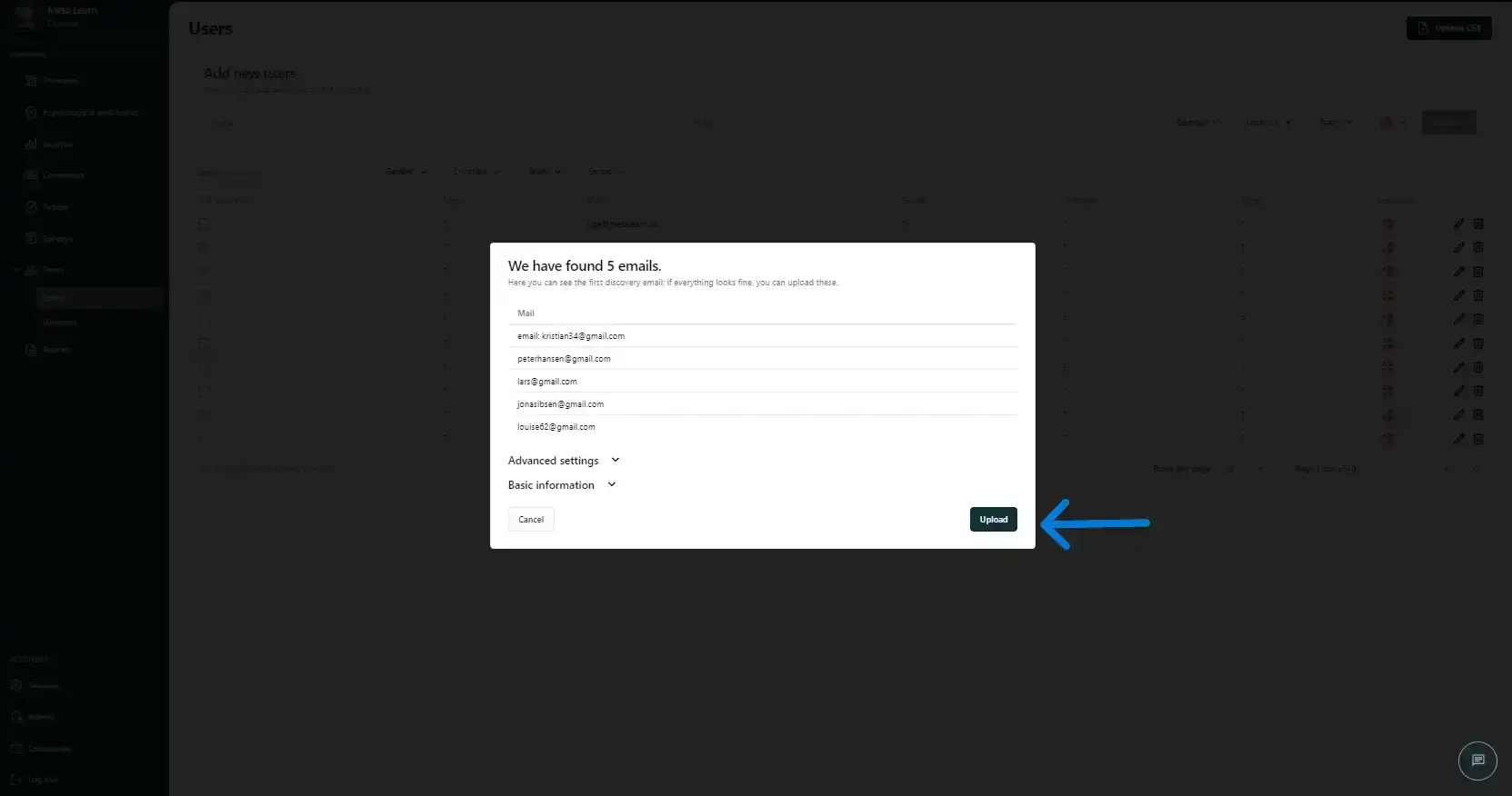
After you add your CSV file, our AI technology will extract additional information, such as names if they are included in the CSV file. Once the employees’ email addresses have been identified, you’ll see 5 examples. If they’re incorrect, you can adjust them in “Advanced settings”. If everything looks right, simply click “Upload”.
Step 5
Congratulations! You’ve successfully added your employees. The system will automatically make sure they receive your surveys when you send them out. You don’t need to do anything else.
Related guides
Create departments and groups
Learn how to create departments so you can easily filter and compare data across your organisation.
View guideDo your own research
Use Meta Learn’s templates or create a custom survey that fits your business perfectly.
View guideUnderstand the settings in Meta Learn
A quick overview of the platform’s settings and features.
View guide