
How to create reports
Learn how to quickly download a report
Step 1
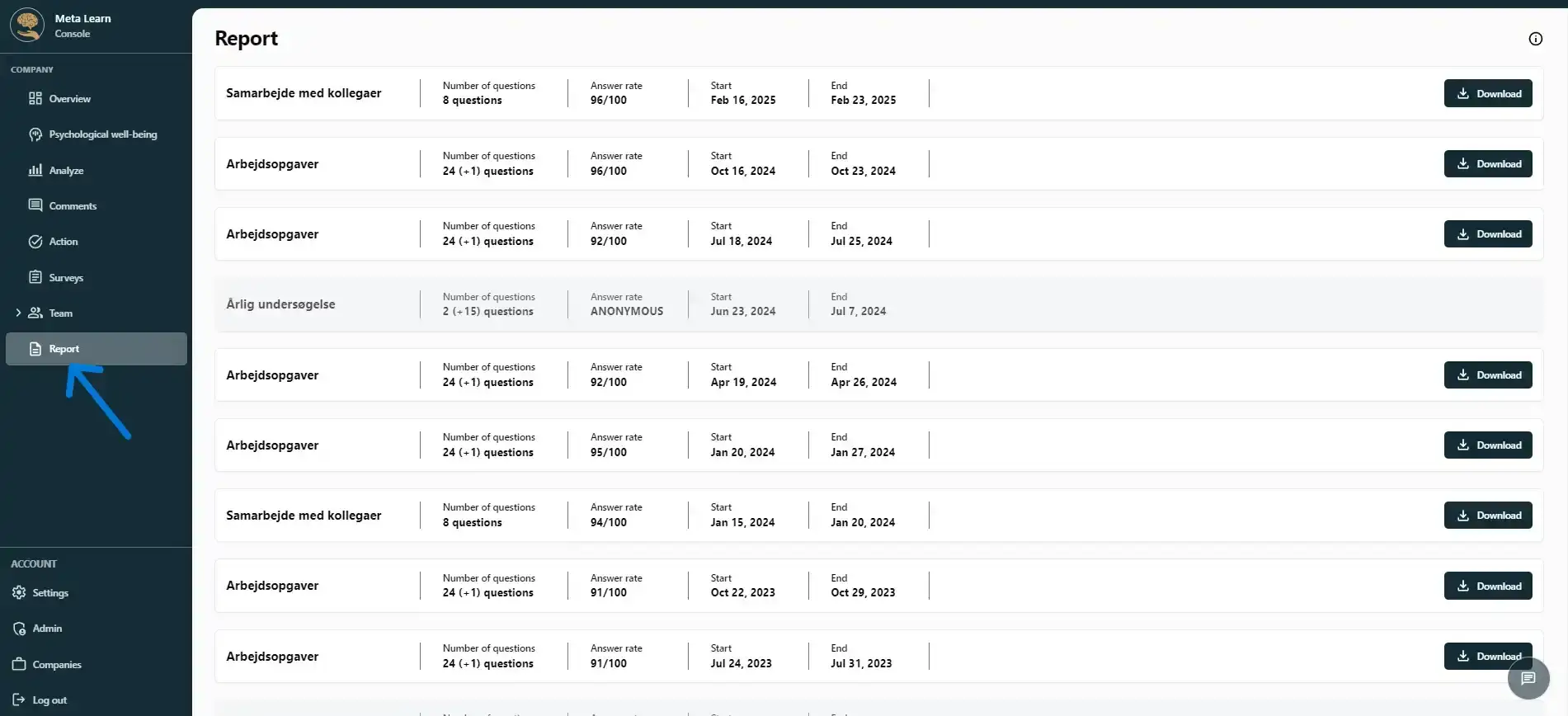
Click „Reports“ to see all your reports.
Step 2
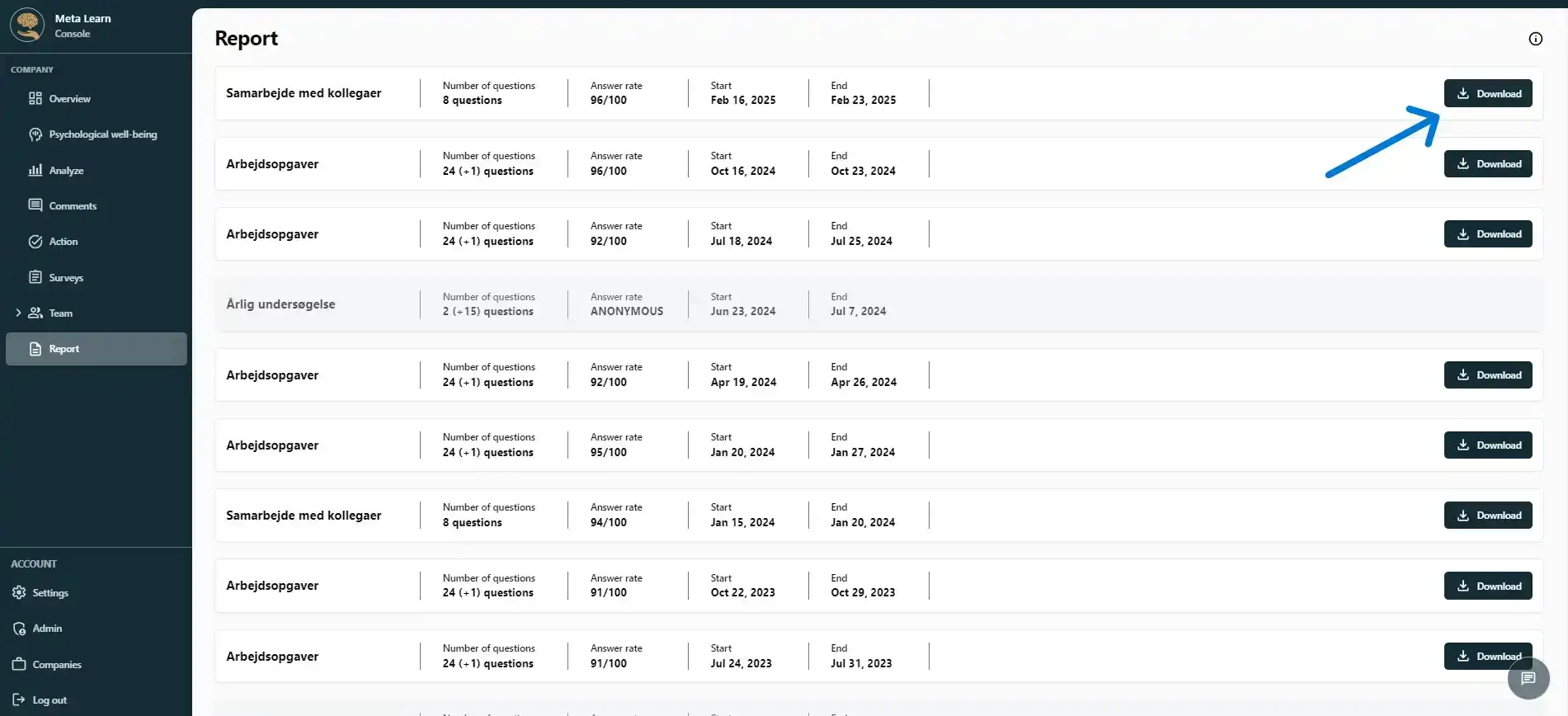
Select the report you want to view. The latest reports will appear at the top of the page. Click “Download” to view the report.
Step 3
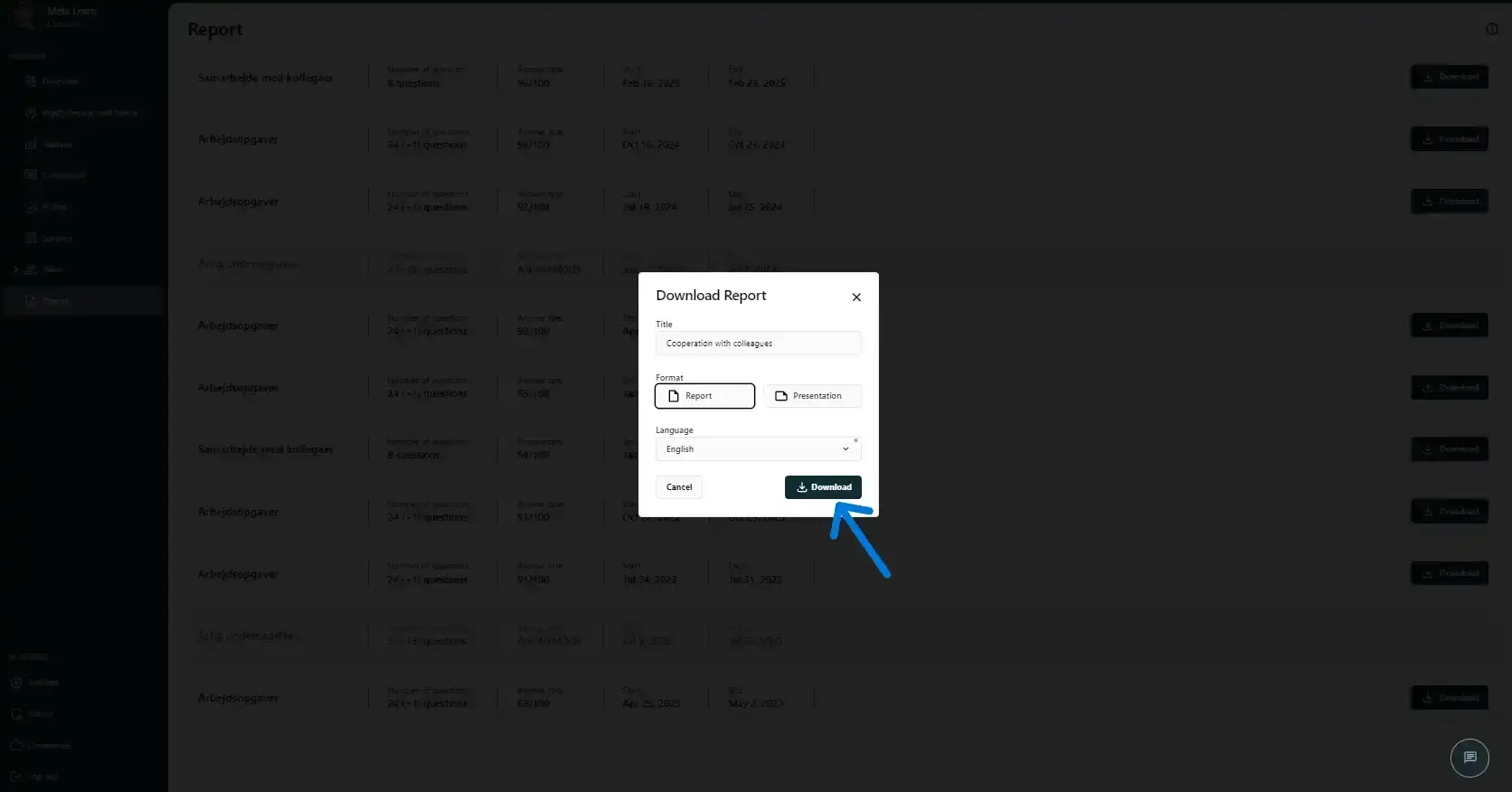
You can now give your report a new title, choose the format (report or presentation), and select the language in which you want the report to be displayed. Once you’ve made your choices, click “Download” to download the file.
Step 4
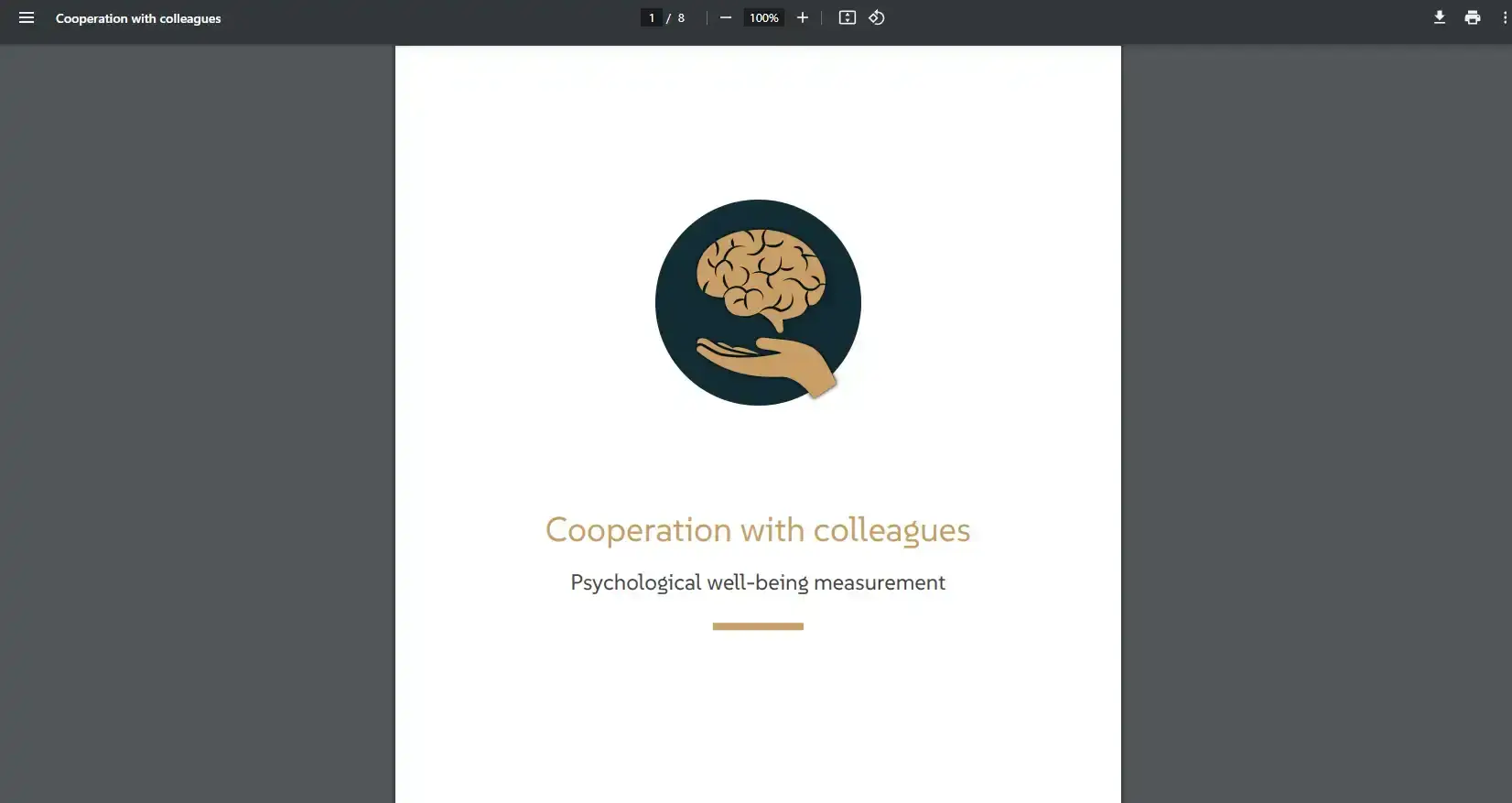
Now click the downloaded file, and you’ve created a unique report that you can share with your colleagues, manager, or other relevant people.
Related guides
Do your own research
Use Meta Learn’s templates or create a custom survey that fits your business perfectly.
View guideSurvey Checker
Review your questionnaire and get help making sure the questions are ready to send.
View guideUnderstand psychological well-being
Learn how to use and interpret your employees’ well-being surveys, and see what you can do based on the results.
View guide